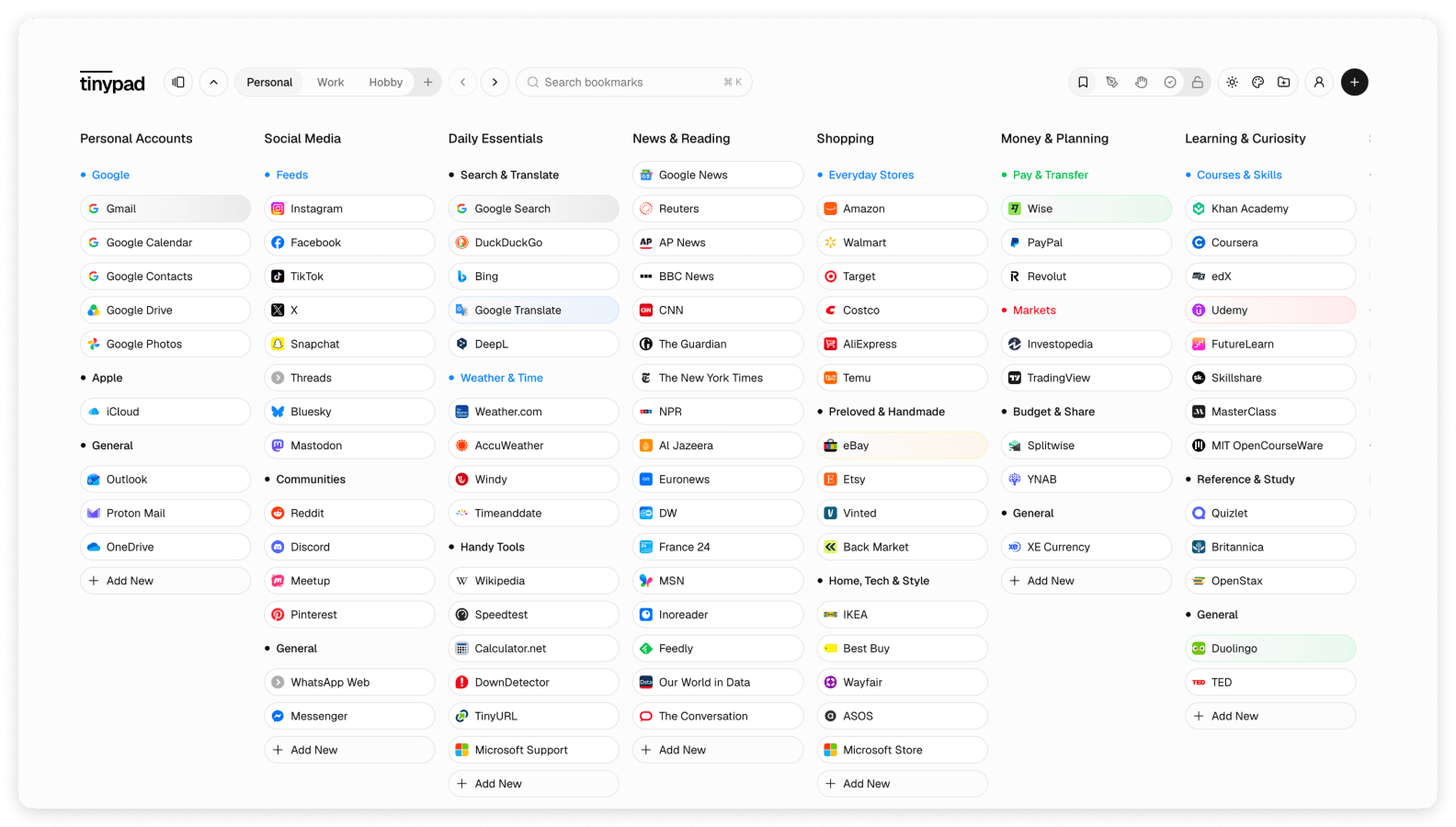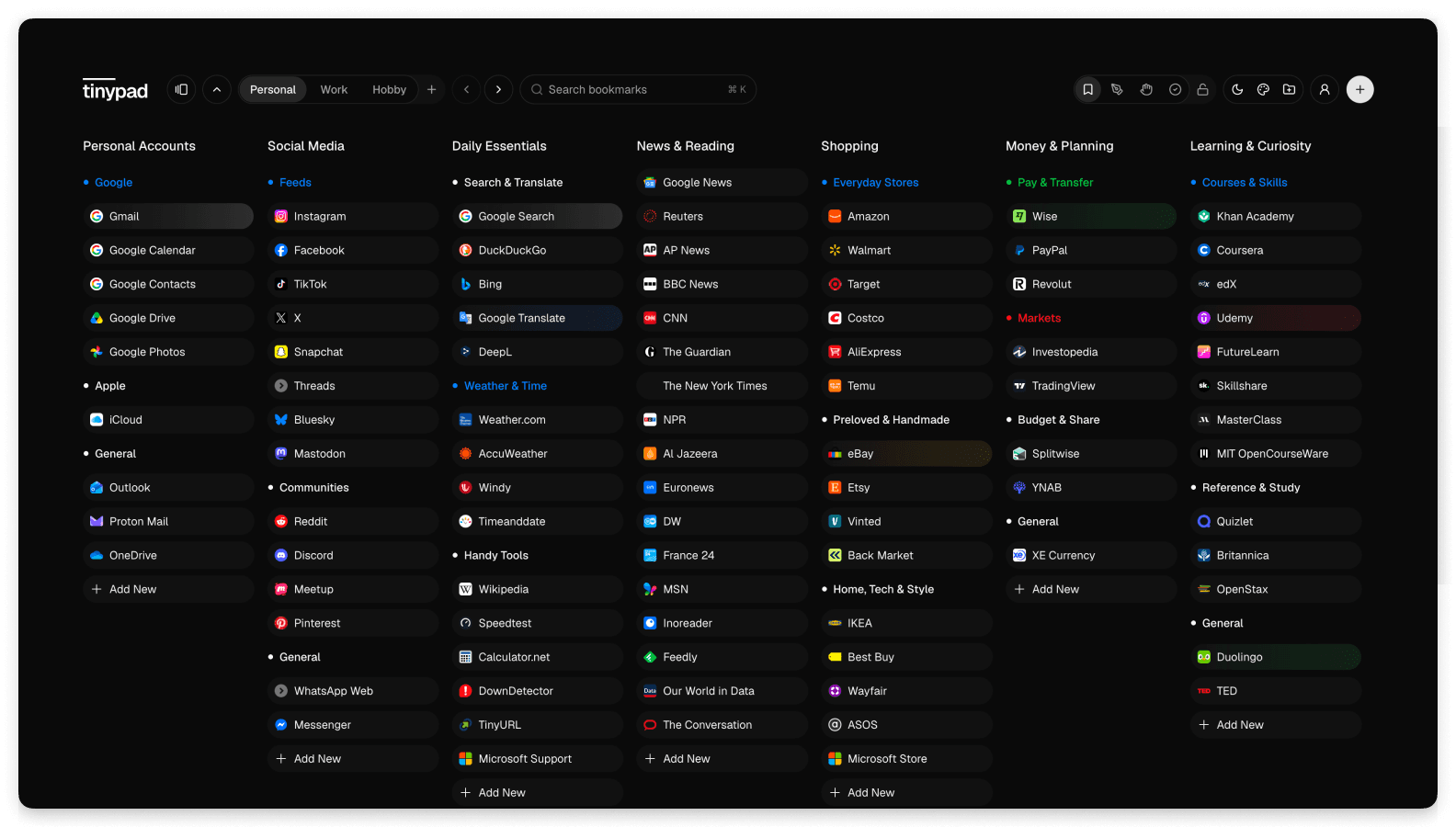

This is your personal web launchpad, where everything is instantly available and organized the way you want.

Modern web browsers have three serious problems, and companies are not interested in addressing them.

Bookmarks get lost

Important links get lost because the space where we save them is disorganized and cluttered. Modern browsers neglect bookmark management in favor of improving search and history, so we either forget to save a link or forget where we put it.

Homepages distract

Homepages in all the modern browsers are either overwhelmed with irrelevant information, pushing marketed suggestions, or simply blank. Some of the browsers at least have a Favorites section, but it always feels limited and artificial.

Tabs pile up

We often keep tabs open because we fear losing the history of work session, and the number of open tabs becomes enormous. Browsers try to solve the consequence of it with smart tab grouping, but it doesn’t address the root problem: workflow persistence.

Tinypad solution is straightforward, simple, beautiful, and reliable.

Syncing bookmarks between browsers and devices

All our bookmarks and links stay in one place, instantly accessible from any browser, on any device.

Organizing bookmarks on the homepage the way we want

Our collection of bookmarks lives in a launchpad, serving as a homepage in every browser.

Keeping only current tabs open, closing everything else

We structure our launchpad in a way that suits our workflow with spaces, groups and subgroups. Keeping tabs open becomes irrelevant.

Tinypad bookmark launchpad with organized bookmark groups

Tinypad pricing model goes against the market trends, because we are here to stay.

Other apps

Annual subscription prices

Pinport$79.00
Partizion$60.00
mymind$59.88
Booooookmarks$48.00
Tab Widgets$44.99
WebCull$43.00
Tabisto$35.88
Raindrop.io$27.60
Start.me$25.00
FavLock$24.00
Bookmark Ninja$23.88

Tinypad

One-time purchase, lifetime access

Want to know what’s included? Check our pricing.

Ready to try Tinypad?

Start today with a free account.

It takes less than 5 minutes to setup Tinypad, and explore all the benefits of our approach.

Step 1

Consolidate all your bookmarks and links in Tinypad

  • Import your existing bookmarks collection from any major browser, following our simple instructions.
  • Alternatively, start from our templates with a curated collection of commonly visited websites.
Step 2

Set Tinypad as a homepage in your browser

  • In your browser settings, set Tinypad as your homepage.
  • Additionally, choose to open new browser windows, or even tabs, with a homepage.
  • You may also add a homepage icon to the browser toolbar for quick access.
Step 3

Organize and style your bookmarks collection

  • Use Spaces, Groups and Subgroups to create a logical and structured system for your bookmarks.
  • Highlight the most important bookmarks and subgroups with colors.
  • Choose a font, size, background, and other styling options that match your visual preferences.
  • While browsing the web, keep adding new bookmarks to Tinypad.

Prefer a video instruction instead?

We asked people who love Tinypad what they value the most, and you are welcome to see the summary.

  • All bookmarks are visible in one place35%
  • Consistent homepage across browsers25%
  • Calm, clean, beautiful interface20%
  • Fast access to frequently used websites15%
  • Intuitive and smart organization5%
What do you value most about Tinypad today?
AnswerPercentage
All bookmarks are visible in one place35%
Consistent homepage across browsers25%
Calm, clean, beautiful interface20%
Fast access to frequently used websites15%
Intuitive and smart organization5%

Want to participate in the survey? Let us know.

Ready to try Tinypad?

Start today with a free account.